
Download BotX – AI Business Automation Platform
Introduction
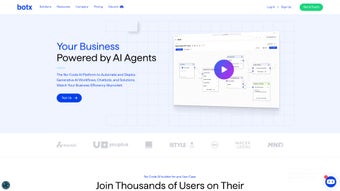
BotX is a cutting‑edge, no‑code AI platform built for businesses that want to automate workflows, launch intelligent chat‑bots, and leverage the power of generative AI and large language models (LLMs) without writing a single line of code. The core promise of BotX is democratization: it turns complex AI technology into a set of drag‑and‑drop tools that anyone in a company—whether a marketing manager, HR specialist, or operations lead—can use to design autonomous AI agents. By removing the barrier of specialized programming knowledge, BotX helps organizations achieve rapid ROI, scale AI initiatives quickly, and keep implementation costs low.
The platform is positioned as a secure, privacy‑first solution that works across industries, from retail to finance, and it prides itself on minimal IT infrastructure requirements. While BotX shines in speed of deployment and ease of use, some users have reported limited deep‑customization options and a lack of detailed technical documentation around security protocols. Overall, BotX offers a compelling blend of speed, affordability, and accessibility for businesses ready to embed AI into everyday processes, making it an attractive option for midsize enterprises and forward‑thinking teams that need to move fast without sacrificing security.
Whether you are looking to create a simple FAQ bot or orchestrate a multi‑step approval workflow, BotX provides the visual canvas, pre‑built AI models, and analytics needed to turn ideas into production‑grade automation in days rather than months.
Key Features That Differentiate BotX
- No‑code workflow builder: Visual canvas for mapping out complex processes with conditional logic, loops, and API integrations.
- Generative AI & LLM integration: Ready‑made modules for GPT‑4, Claude, and other leading models, enabling content creation, summarisation, and decision support.
- Chatbot deployment: One‑click publishing to web, mobile, and messaging platforms such as WhatsApp, Slack, and Microsoft Teams.
- Scalable cloud architecture: Auto‑scaling resources that adjust to workload spikes, ensuring consistent performance.
- Robust security & data privacy: End‑to‑end encryption, role‑based access controls, and GDPR‑compliant data handling.
- Analytics dashboard: Real‑time monitoring of bot interactions, workflow efficiency, and ROI metrics.
- Marketplace of pre‑built agents: Industry‑specific templates for sales assistance, HR onboarding, and customer support.
- Low‑code extensions: Optional JavaScript snippets for advanced users who need bespoke logic.
Each feature is designed to work together seamlessly, allowing businesses to start small with a single chatbot and gradually expand to full‑scale process automation. The visual editor eliminates the learning curve typical of traditional development environments, while the built‑in analytics give decision‑makers the data they need to fine‑tune AI behavior. BotX’s security framework is also noteworthy; it provides encrypted data pipelines and strict permission settings, making it suitable for regulated sectors such as healthcare and finance.
The marketplace of pre‑built agents accelerates time‑to‑value, as companies can simply import a template, customise the language, and go live within hours. For teams that need a little more flexibility, low‑code extensions let developers inject custom JavaScript, creating a hybrid environment that satisfies both citizen developers and seasoned programmers. This balanced approach—combining no‑code ease, generative AI power, and optional low‑code depth—positions BotX as a versatile tool that can grow with an organization’s maturity and technical appetite.
Installation & Usage Instructions
Step‑by‑Step Setup
1. Sign up for a free trial: Visit the official BotX website, click “Start Free Trial,” and fill out the registration form. An activation email will arrive within minutes, allowing you to claim a 14‑day trial with a limited number of AI calls.
2. Choose your deployment environment: BotX runs in the cloud, so there is no local software to install. After confirming your email, you’ll be redirected to the web‑based dashboard where you can select a geographic region (US‑East, EU‑West, APAC) for optimal latency and data residency compliance.
3. Create your first project: Click “New Project,” give it a descriptive name, and select a template from the marketplace (e.g., “Customer Support Bot”). The template automatically populates the workflow canvas with pre‑configured steps, giving you a working foundation in seconds.
4. Connect data sources: Use the “Integrations” tab to link CRM systems (Salesforce, HubSpot), databases (MySQL, PostgreSQL), or third‑party APIs. BotX supports OAuth2, API keys, and webhook connections, and each integration provides a visual node that you can drag onto the canvas.
5. Configure AI behavior: Drag an “LLM Prompt” block onto the canvas, choose a model (GPT‑4, Claude), and write a brief instruction set. BotX will auto‑suggest optimal parameters—such as temperature and token limits—based on your use case, reducing the need for trial‑and‑error.
6. Test and iterate: The “Preview” mode lets you simulate user interactions in real time. Adjust branching logic, add fallback responses, and monitor token usage. BotX records every test run, so you can compare performance metrics across versions.
7. Publish: When you’re satisfied, hit “Deploy.” BotX will generate a secure endpoint URL and optional embed code for web pages. For mobile apps, download the BotX SDK (available for iOS and Android) and follow the integration guide to embed the bot directly into native applications.
The platform also offers a comprehensive knowledge base, step‑by‑step video tutorials, and live chat support to assist during onboarding. Most users become productive within a single afternoon, and the intuitive UI encourages experimentation without fear of breaking production systems.
Compatibility, Pros & Cons
BotX is a cloud‑native SaaS solution, which means it works on any modern operating system that can run a web browser. Officially supported platforms include Windows 10/11, macOS 12+, Linux distributions with Chrome/Firefox, as well as mobile environments (iOS 14+, Android 9+). The optional SDKs provide native integration for Android and iOS apps, while the web widgets can be embedded in any HTML‑compatible site, ensuring a truly cross‑platform experience.
Pros
- Zero‑code interface dramatically reduces development time.
- Built‑in generative AI models keep the platform future‑proof.
- Scalable cloud infrastructure handles high traffic without manual provisioning.
- Strong security features (encryption, role‑based access) meet enterprise compliance.
- Extensive marketplace of pre‑built agents accelerates ROI.
- Cross‑platform compatibility ensures access from Windows, macOS, Linux, iOS, and Android.
- Low‑code extensions allow developers to add custom logic when needed.
- Real‑time analytics dashboard provides immediate insight into bot performance.
Cons
- Limited deep‑customization for developers who need granular code control.
- Documentation around advanced security configurations is sparse.
- Pricing tiers can become costly for large‑scale deployments.
- Reliance on internet connectivity; offline use is not supported.
- Some enterprise features (e.g., on‑premise deployment) are not yet available.
- Learning curve for non‑technical users when dealing with complex conditional logic.
Overall Rating: 4 out of 5 stars
Conclusion – Should You Download BotX?
BotX stands out as a powerful, no‑code AI platform that brings enterprise‑grade automation within reach of non‑technical teams. Its blend of generative AI, visual workflow design, and robust security makes it a strong candidate for businesses eager to modernise operations without massive development budgets. While the lack of deep‑code customization and the SaaS‑only delivery model may deter some large organisations, the rapid ROI, extensive marketplace, and cross‑platform compatibility outweigh those concerns for most midsize companies. If you are looking for a secure, scalable solution that lets you launch chatbots and automate complex processes in days rather than months, BotX is worth a download and a trial run.
Ready to experience AI‑driven automation? Download BotX now and start building smarter workflows today.
Frequently Asked Questions
Is BotX truly a no‑code platform?
Yes. BotX provides a visual workflow builder where you drag, drop, and configure components. While optional low‑code extensions exist for advanced users, the core functionality requires no programming knowledge.
Which AI models does BotX support?
BotX integrates with leading LLMs such as OpenAI’s GPT‑4, Anthropic’s Claude, and Cohere models. New models are added regularly through automatic updates.
Can I host BotX on my own servers?
Currently BotX is offered as a SaaS solution only. An on‑premise version is in the product roadmap, but not yet released.
How does BotX ensure data privacy?
All data in transit and at rest is encrypted with TLS 1.3 and AES‑256. BotX also offers role‑based access control, audit logs, and GDPR‑compliant data handling policies.
What pricing plans are available?
BotX provides a free trial with limited AI calls, followed by three paid tiers: Starter (up to 5 bots), Professional (unlimited bots, advanced analytics), and Enterprise (custom SLA, dedicated support). Prices start at $49/month.



.png)



